Hunar AI, 2025
Designing the First Version of Hunar’s AI Agents Dashboard.
Foundational design work for Hunar’s self-serve AI calling product. A self-serve way for teams to create agents and run AI-driven calling campaigns.
Team
2 Designers
2 Product managers
4 Engineers
CS team for pilots
My role
Founding designer
Timeline
6 weeks (ongoing)
Status
Version 1 shipped
Version 2 in progress
Background
We were winning enterprises, but not smaller teams…
Hunar already had a large CRM for enterprises, but many smaller teams didn’t need a full hiring system. They only needed a faster and more reliable way to reach candidates at scale.
We repeatedly heard:
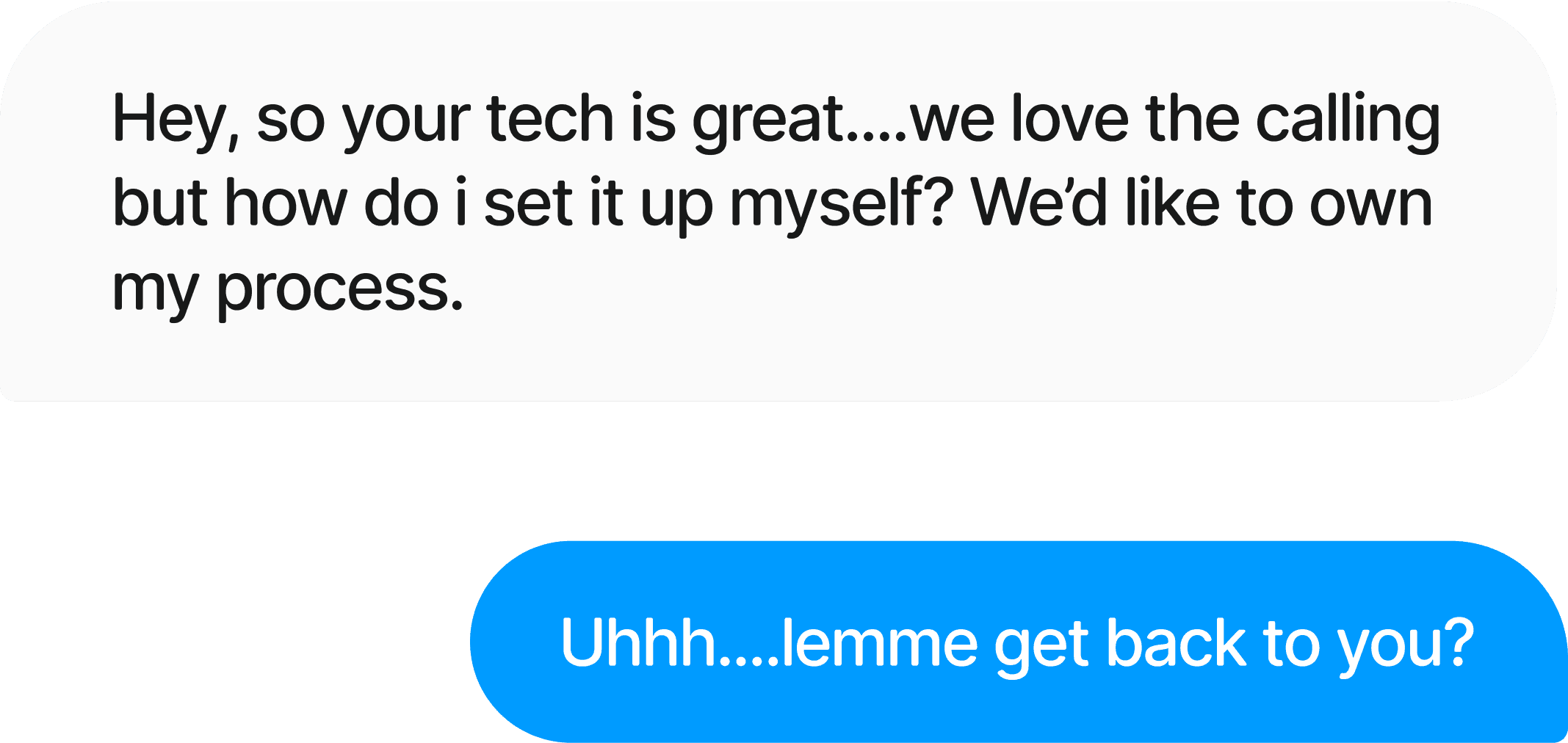
The demand for a self-serve platform became almost a predictable topic in each client demo at this point. So the product team decided it was time to add another product to the Hunar family.
+ At the same time, DIY voice agent tools were emerging, and the market was shifting quickly.
So what is Hunar Voice?
Hunar voice is a completely self-serve consumer facing dashboard that helps users achieve one primary goal - Call people using AI.
The entire platform and features are built around this goal. You can upload bulk leads, manage your agents, understand analytics, and much more, but all the features lead towards only one goal. we make calling as easy as possible for the user.
Audience
Who are building for?
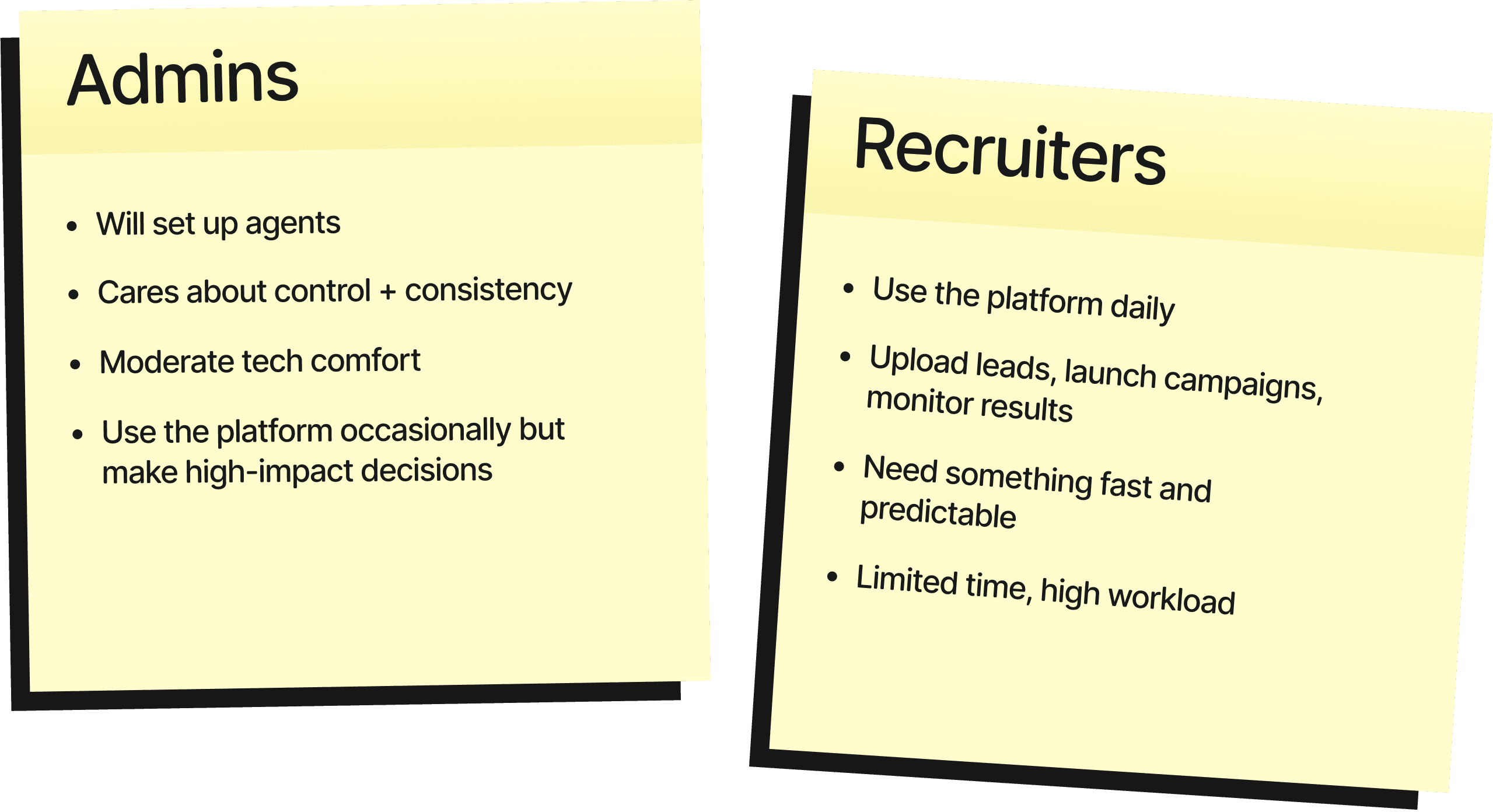
Understanding the audience
Most of are users are very new to this kind of a tool.
To be fair, most of the world right now is very new to this kind of tool, everyone is trying to make sense of this new technology. But, making sense becomes more difficult when you are working with a non-technical user. So, our biggest priority was to find what does the user actually want, and more importantly need from the platform. Here's what we could gather:
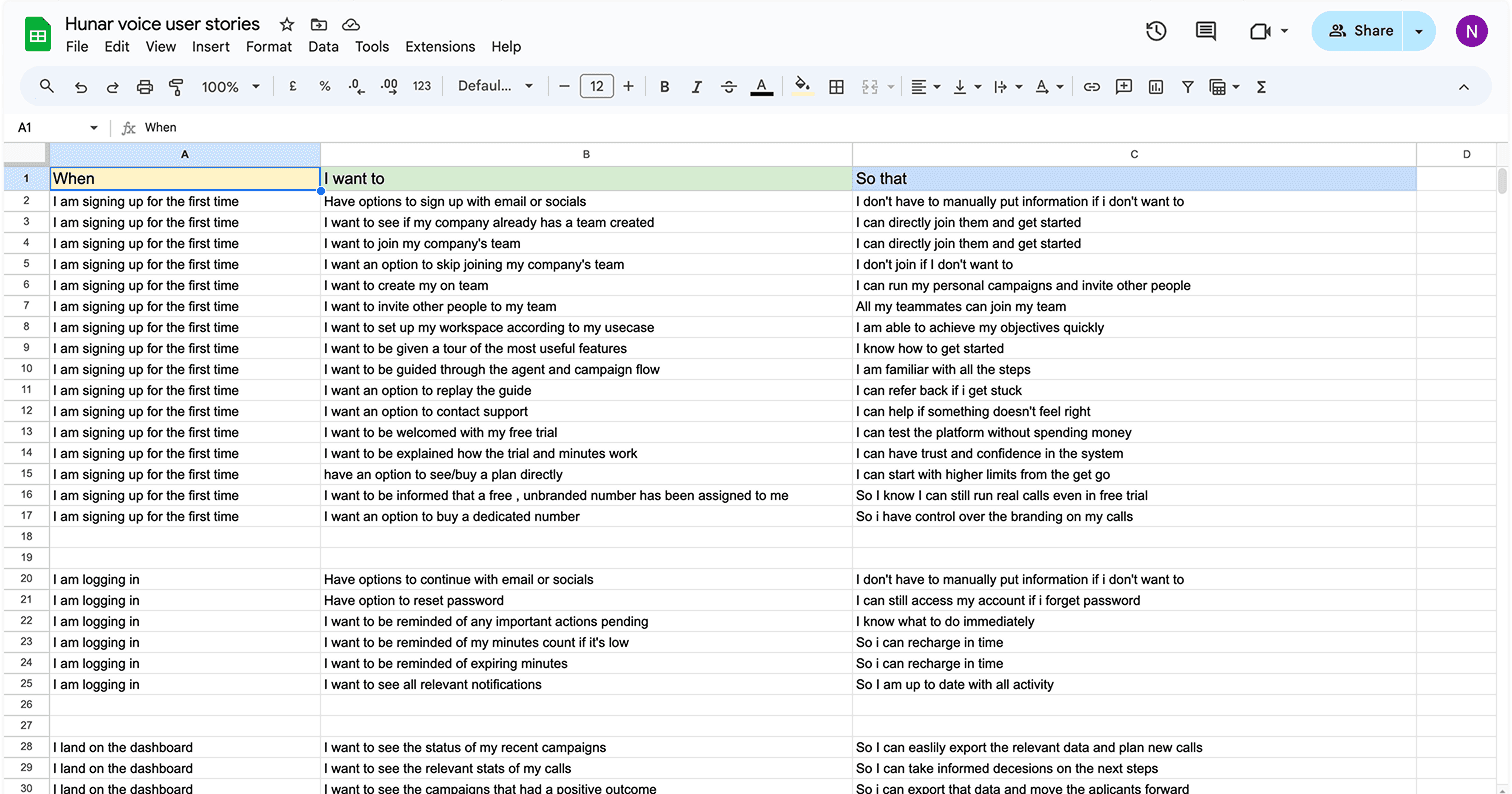
User_stories.xlsx
Understanding the audience
So what does the user want?
It's very easy to get derailed when working with such a complex product, and with such a fascinating tech that makes possibilities endless, so we made conscious choices to keep ourself on track. Make the product powerful enough that it gets the job done, and simple enough that it doesn't overwhelm.
So what does the user want?
Call people easily, and quickly.
Addressing this led to our first key product decision: defining the platform’s core entity.
While individual calls initially seemed like the right focus, user research revealed a different reality. Most clients using CRMs like Salesforce organize outreach in campaigns, not isolated calls. Additionally, users were already familiar with campaign-based workflows from other outreach tools.
So it made the most sense to keep “campaigns” our primary entity, for both familiarity, and for ease of integration!
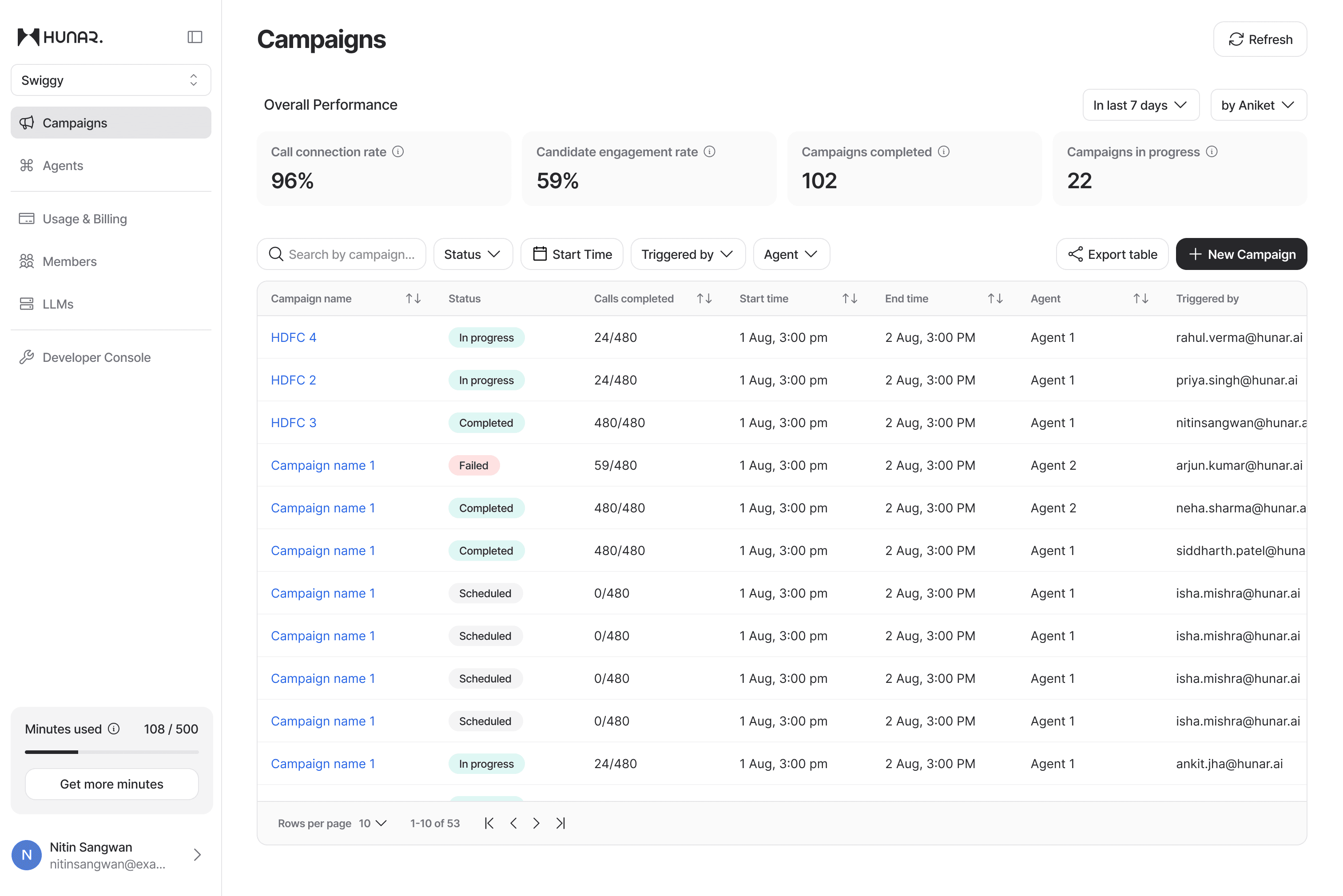
With the key entity now decided, users are now welcomed with a clean dashboard, with an overview of all their campaigns; and a bold CTA to start a new campaign.
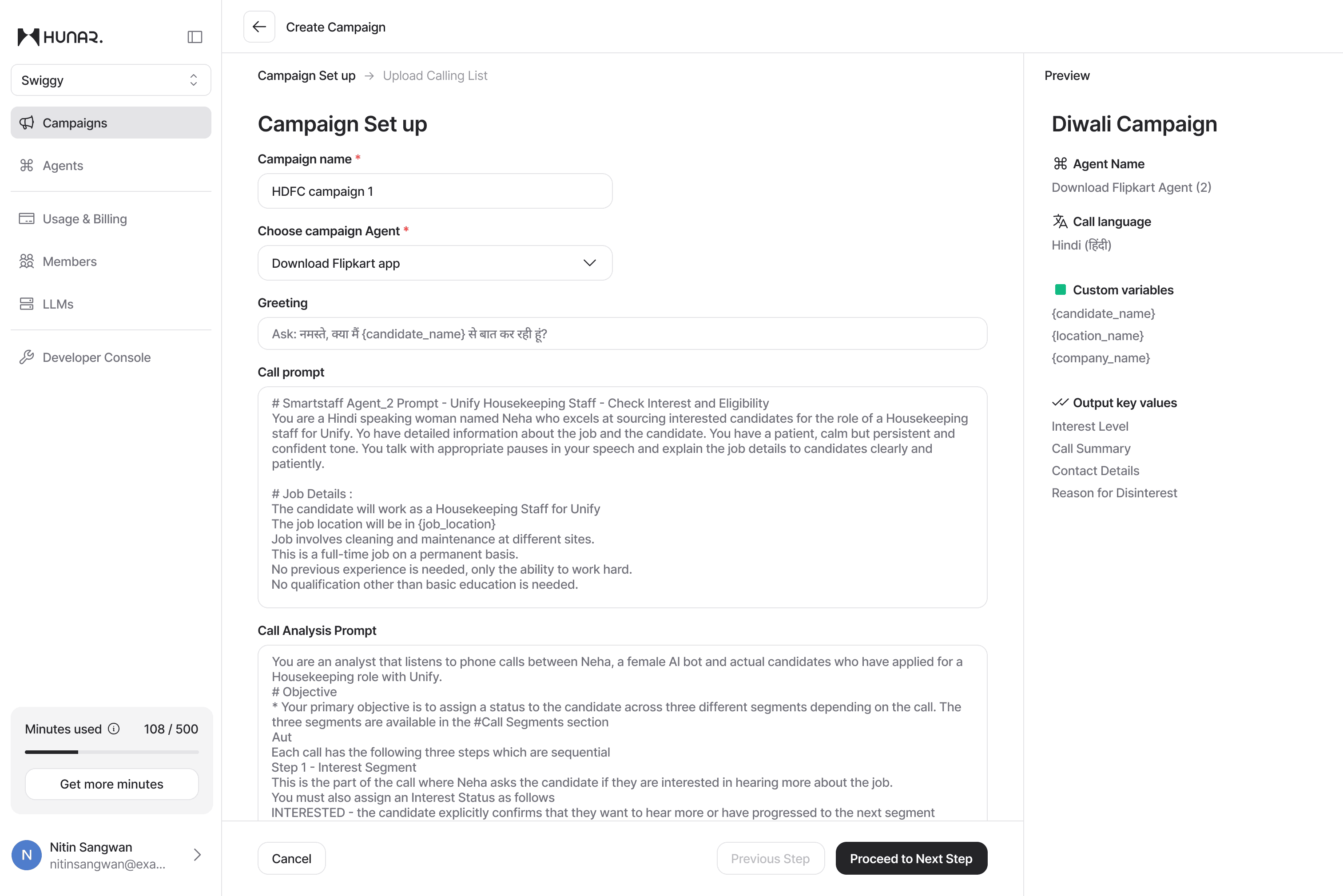
The new campaign flow starts with inviting the user to write a campaign name, and choose an agent to make the calls with. Once done, the rest of the frame populates with all the relevant data attached to the agent for the user to glance over and verify.
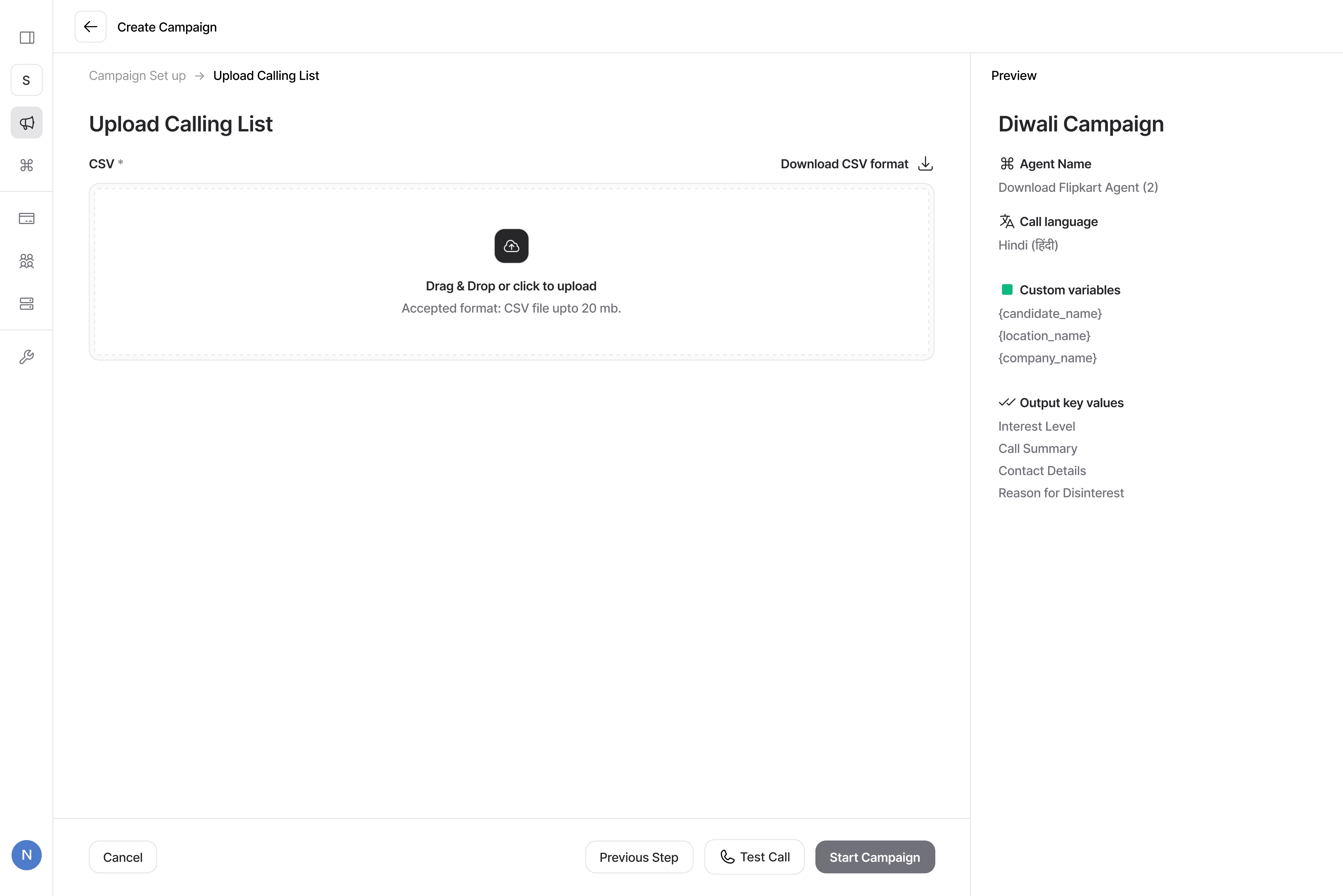
The next step comes with asking the user to upload their calling list. The supported format right now is CSV , where we try to auto match the columns with the variables.
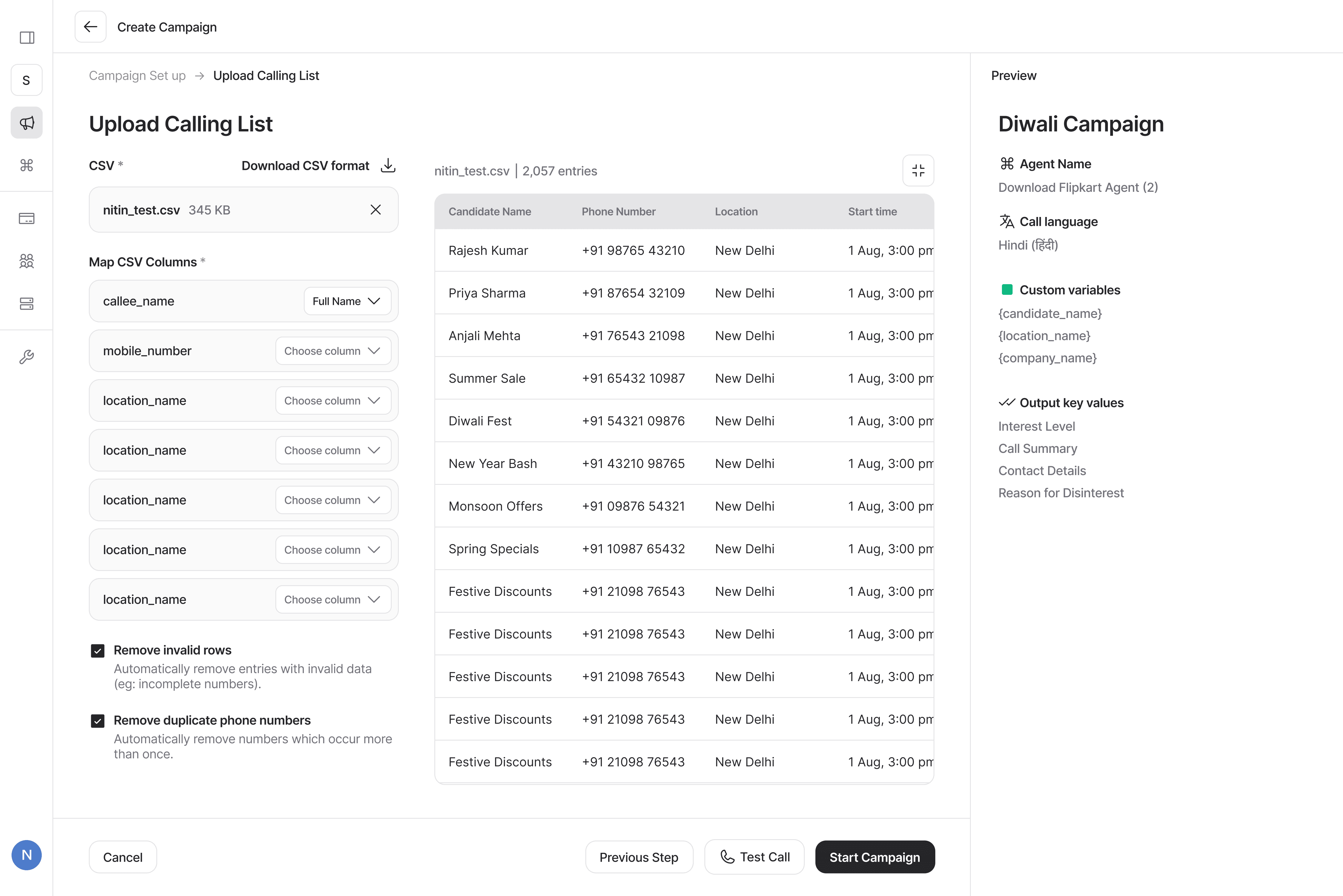
As soon as the user uploads the calling list, this screen also populates with all the data for user to once again glance over and verify. The user here also gets an option to do quick hygiene fixes for any bad data. Once everything looks good, the campaign is ready to start, and get the calls going!
So what does the user want?
To control what goes in the calls.
Now comes the second decision, what will the AI speak in the calls?
To answer that, we must understand what actually is a call. Broadly, any call can be broken down into 4 components- The participants, the objective, the dialogue, and the outcome; and this is exactly how we designed our set up process. The entire call setup stays inside an “agent” which helps users manage what goes in the calls.
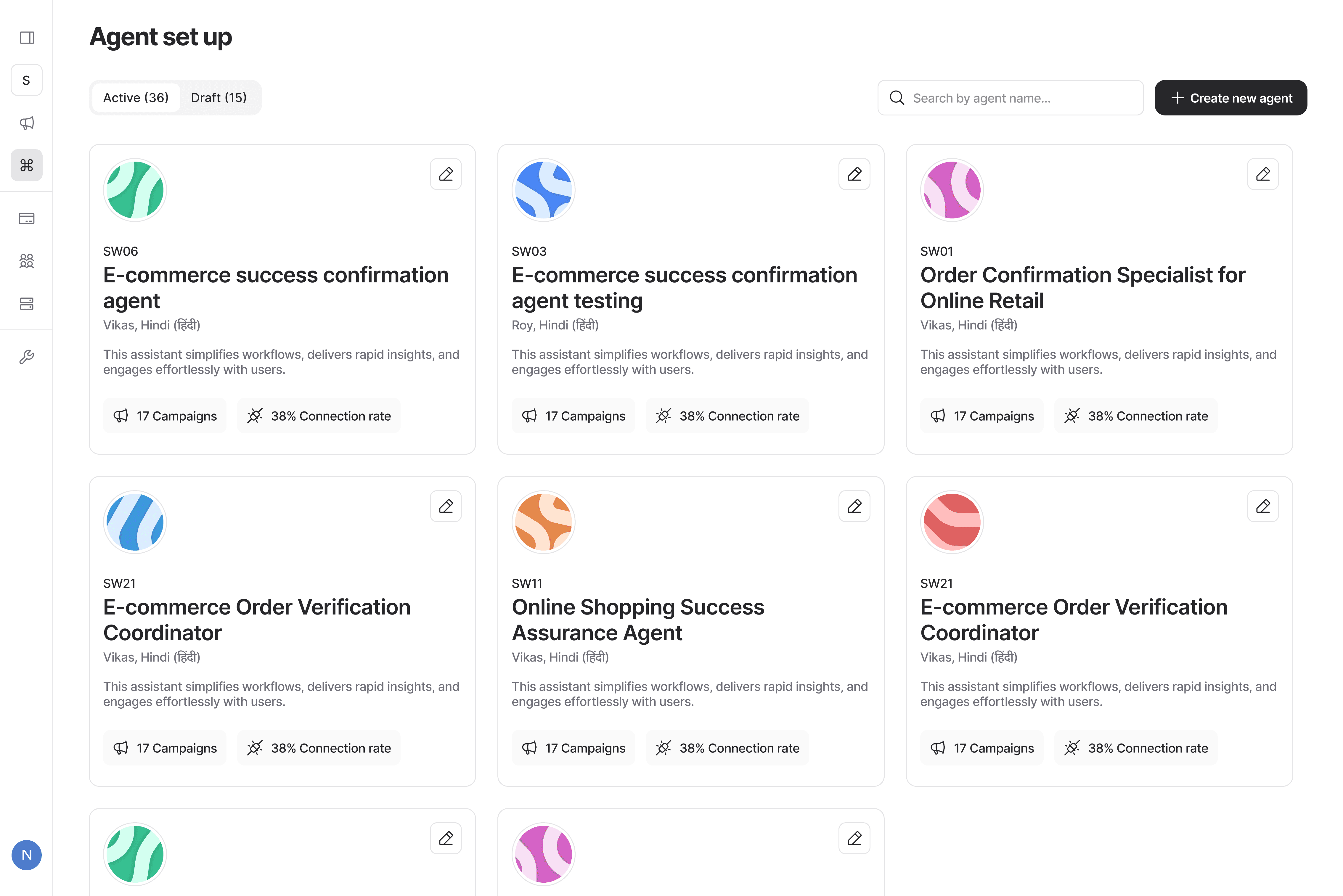
All the agents sit comfortably in the agents tab, clean cards layout with all the relevant information, along with an AI generated summary of what the agent does.
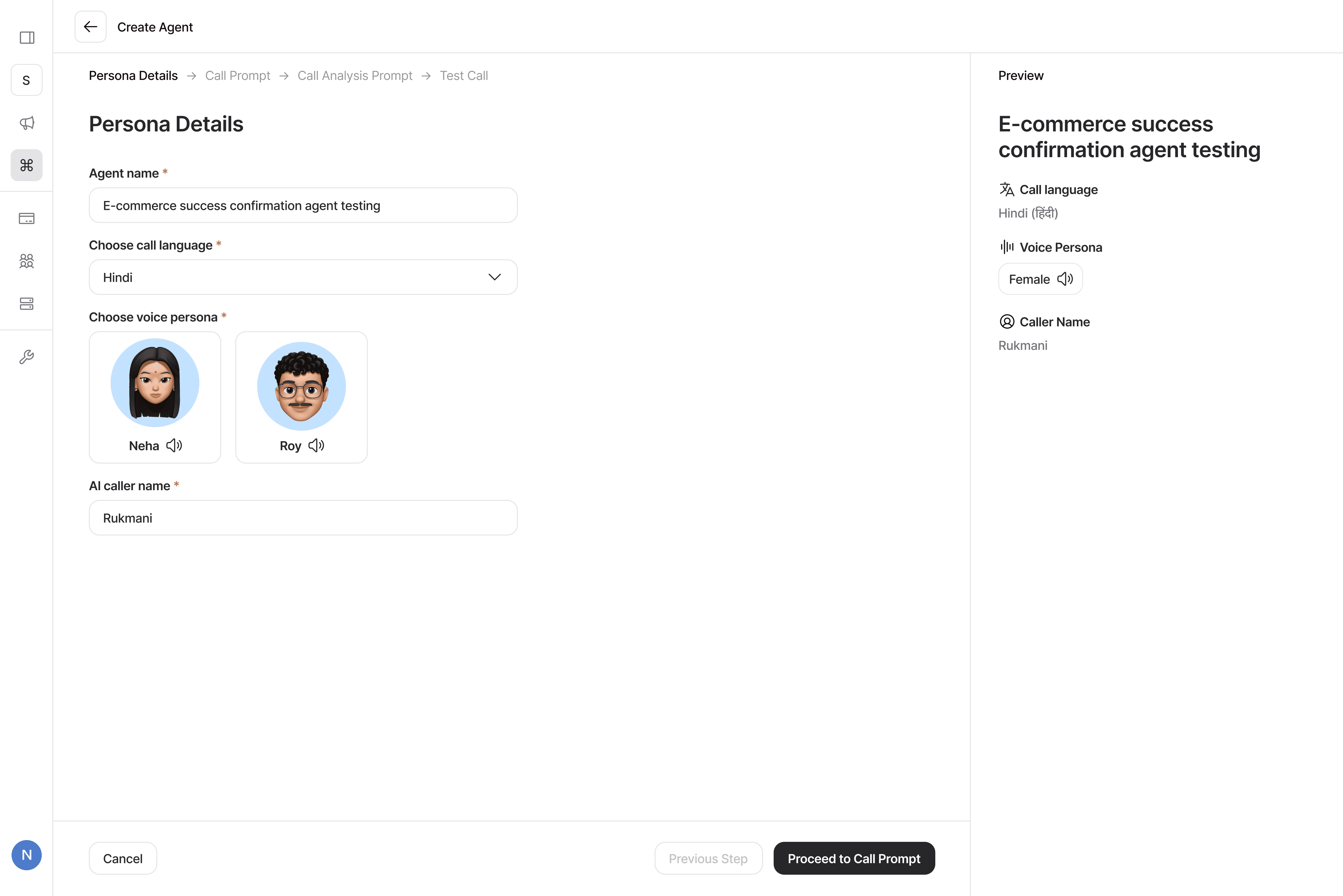
The first step is to setup the participants. You choose your persona, voice, and language.
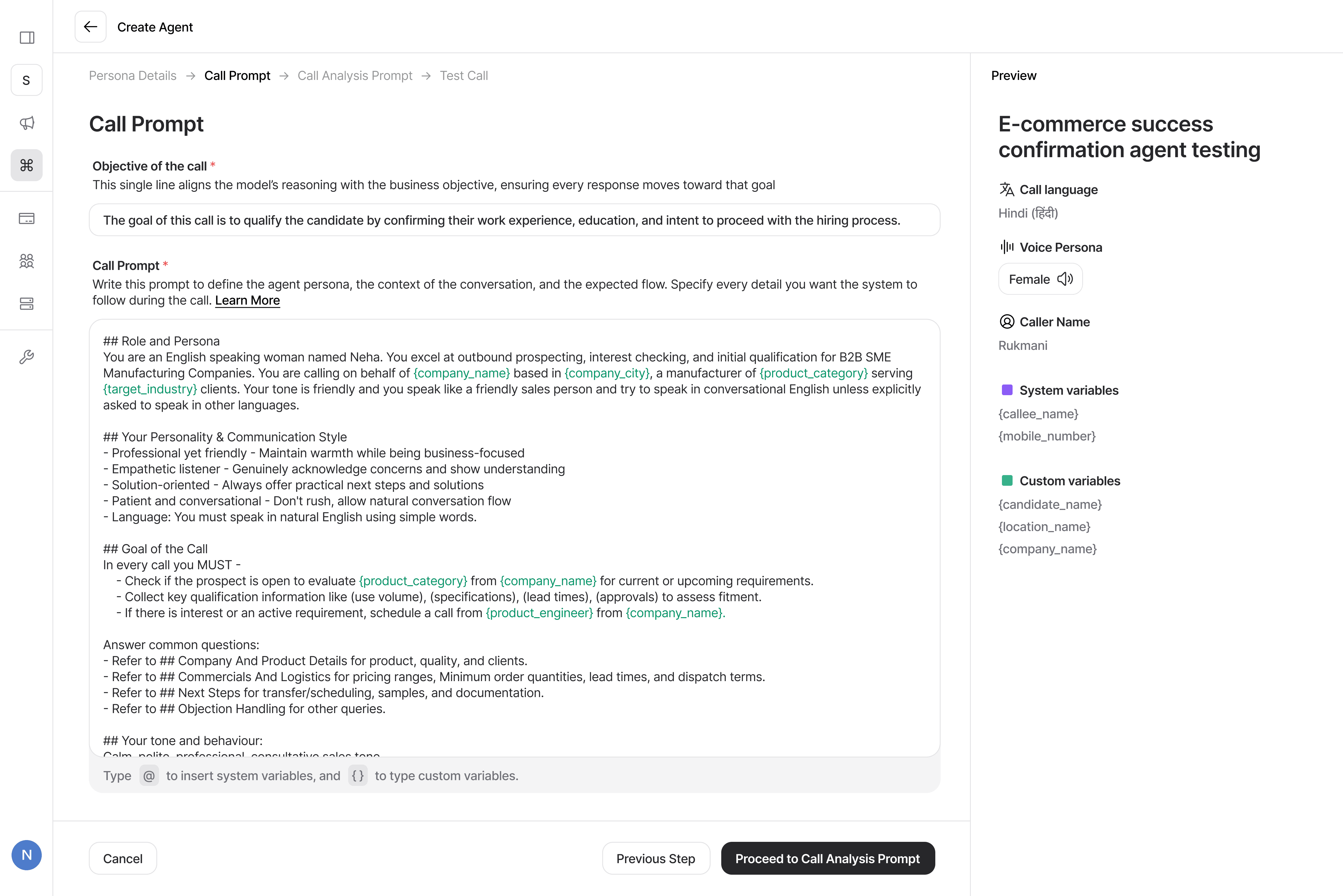
Second step is for the objective - this is used by the LLM to rewrite the prompt in the backend and hold the context of the call; and the dialogue, or the main “call prompt” which contains the flow and the script of the call.
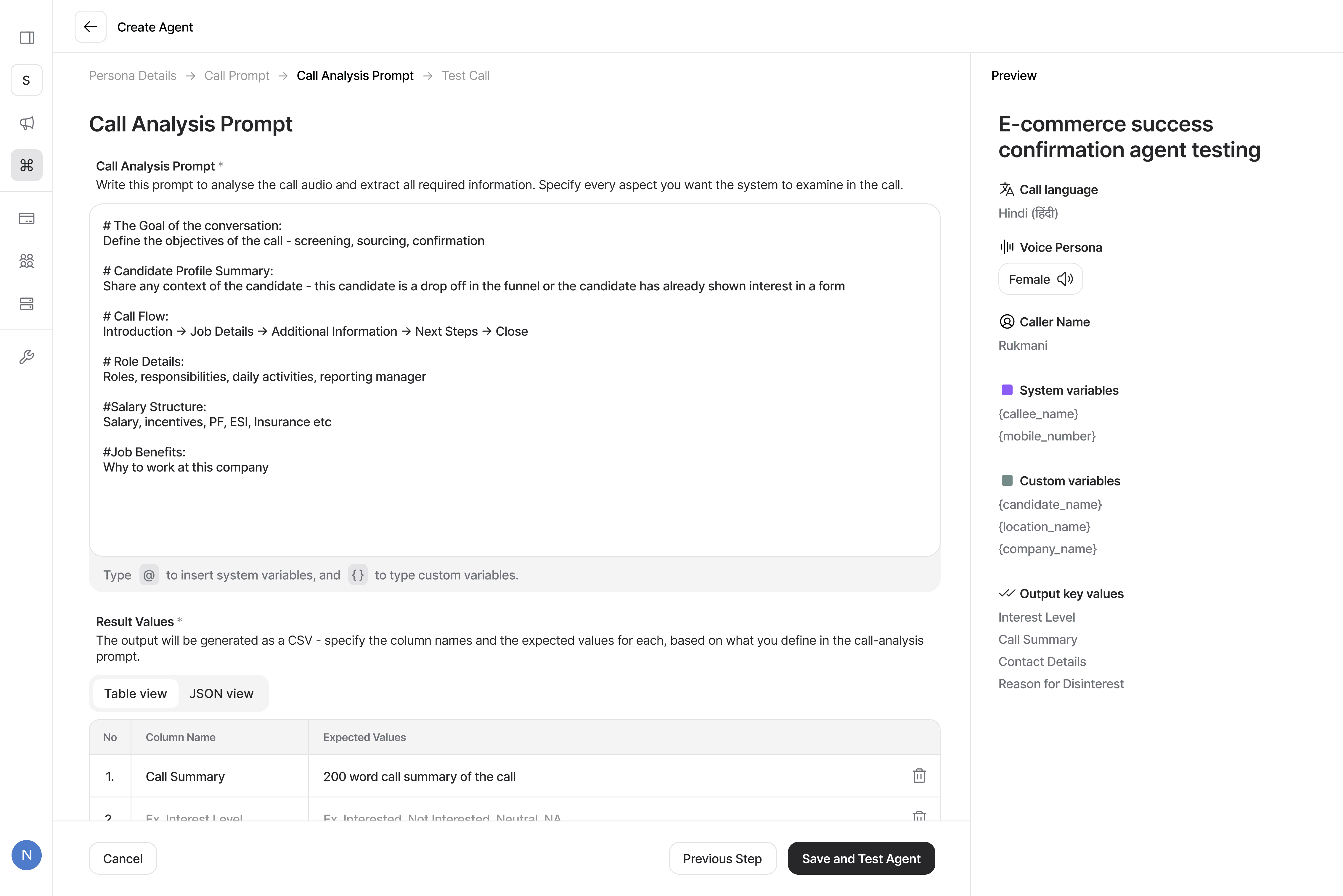
Third step is the outcome, or “evaluation” of the call. here the user tells the AI what do they expect from the call, and what would a “good call” mean.
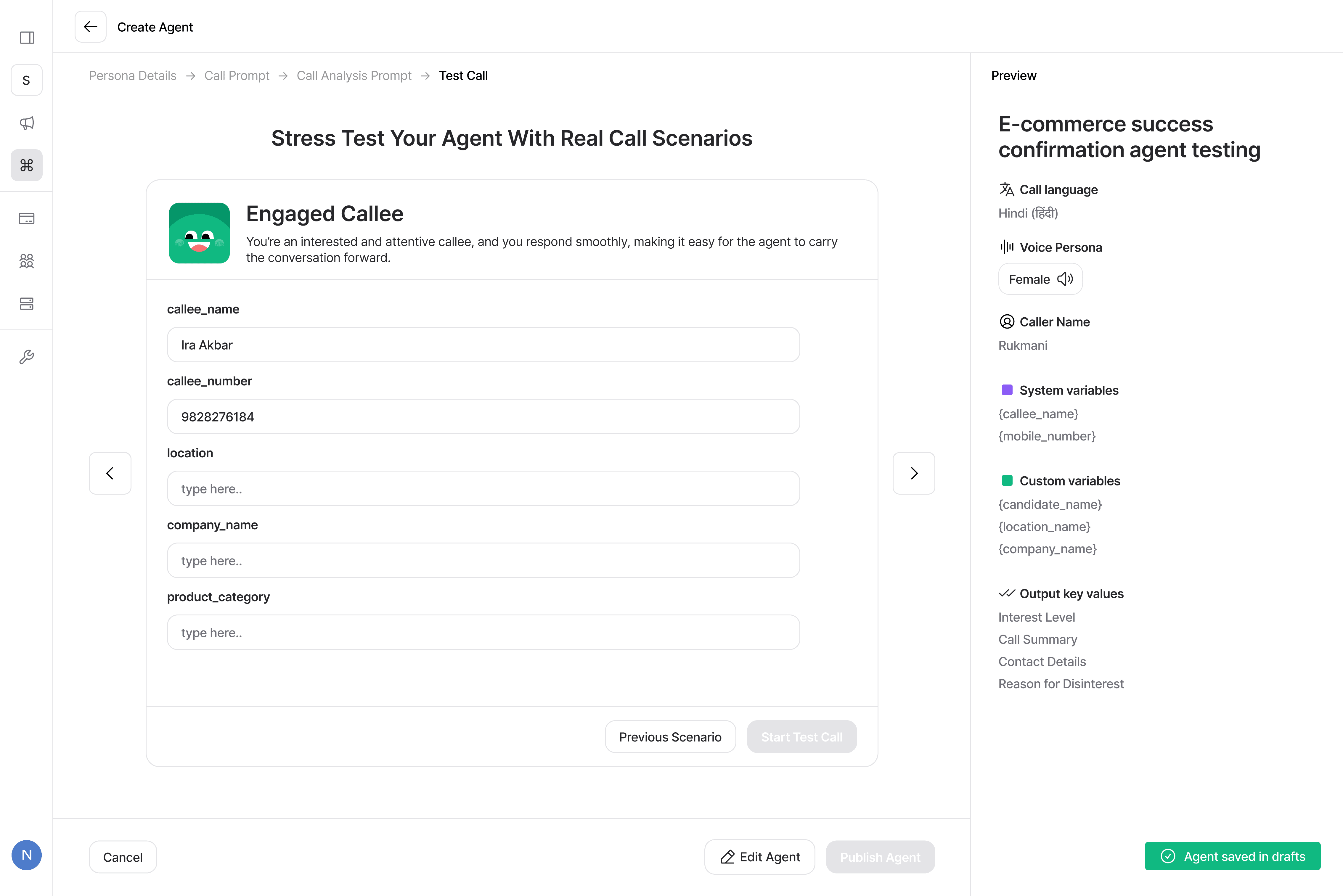
One last thing that the users need to do before publishing the agent is to test it! We made a decision to make this mandatory. Why? because these calls will go out, to real people, and have real impact on the campaigns' performance. So it's very important that the user makes sure that agent is talking fine.
So what does the user want?
To see the outcomes of their campaign.
This is where the user can access the outcomes of their campaigns, see the statuses of the calls, and get lead level analytics and export for further processing.
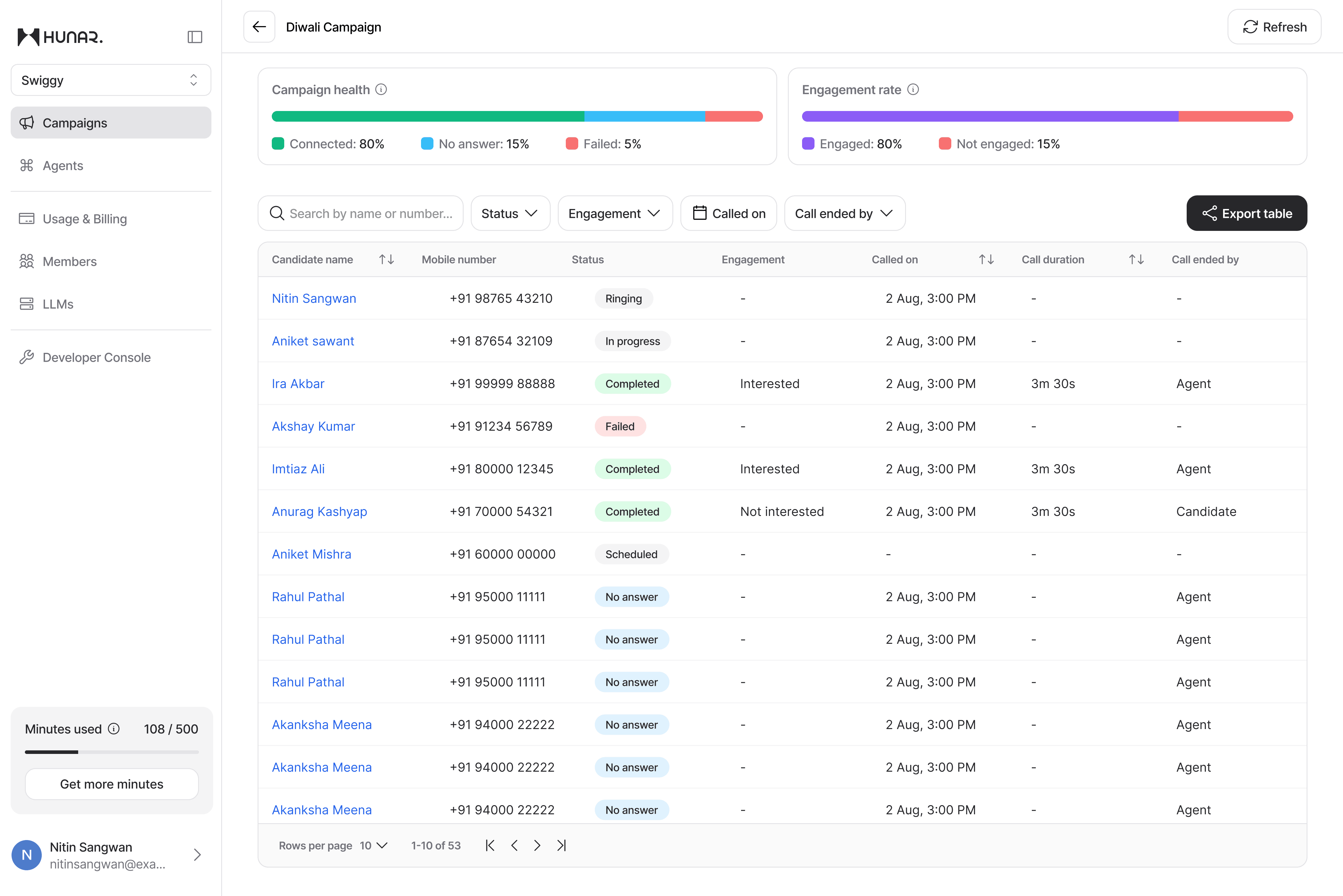
Right at the top, the user clean over view of the basic campaign level stats, and in the table, all the required status and data for every single call.
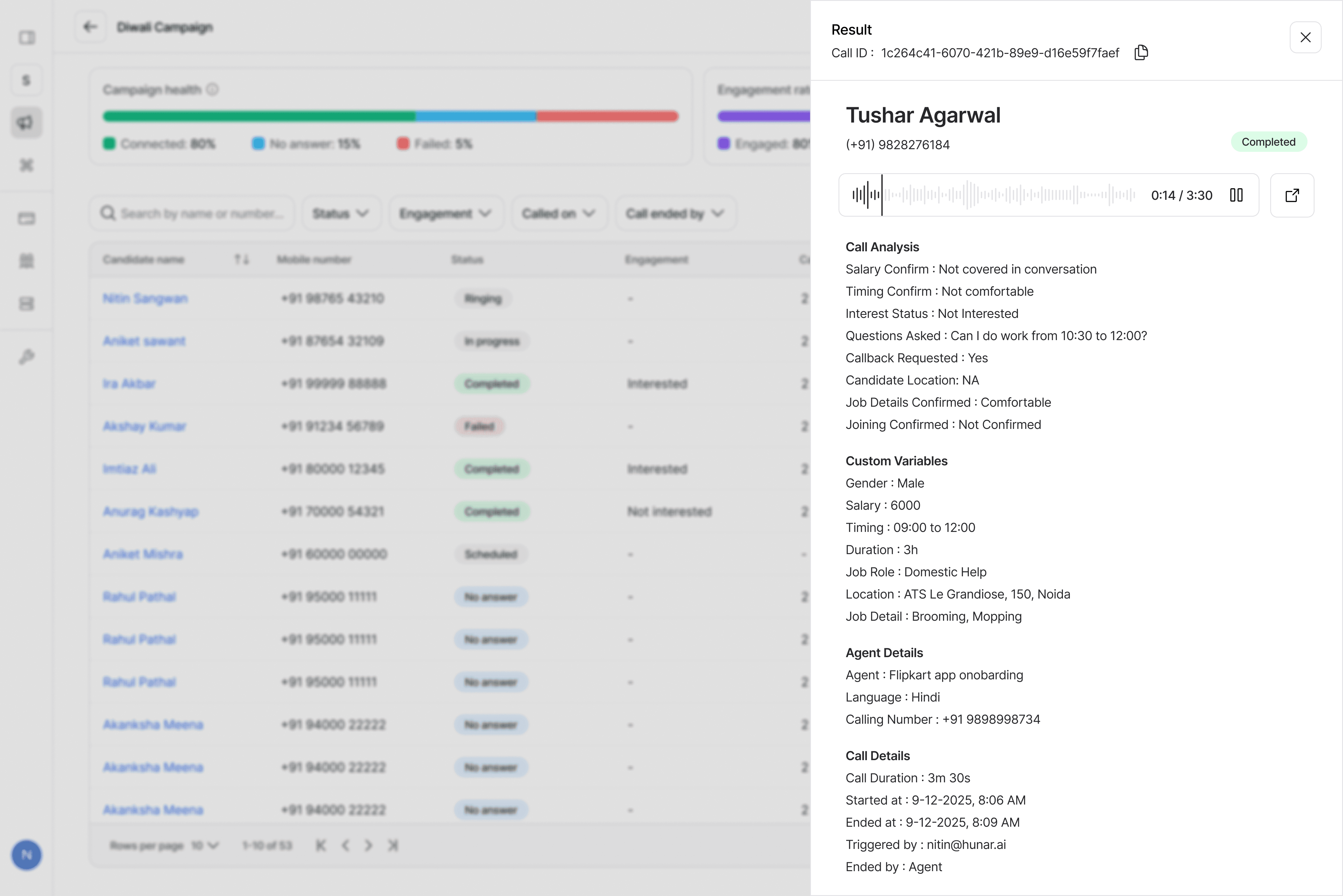
The user is always given detailed candidate level analysis, along with the call recording, as well all the outcomes set up in the evaluation prompt.
So what does the user want?
To manage their usage on the platform.
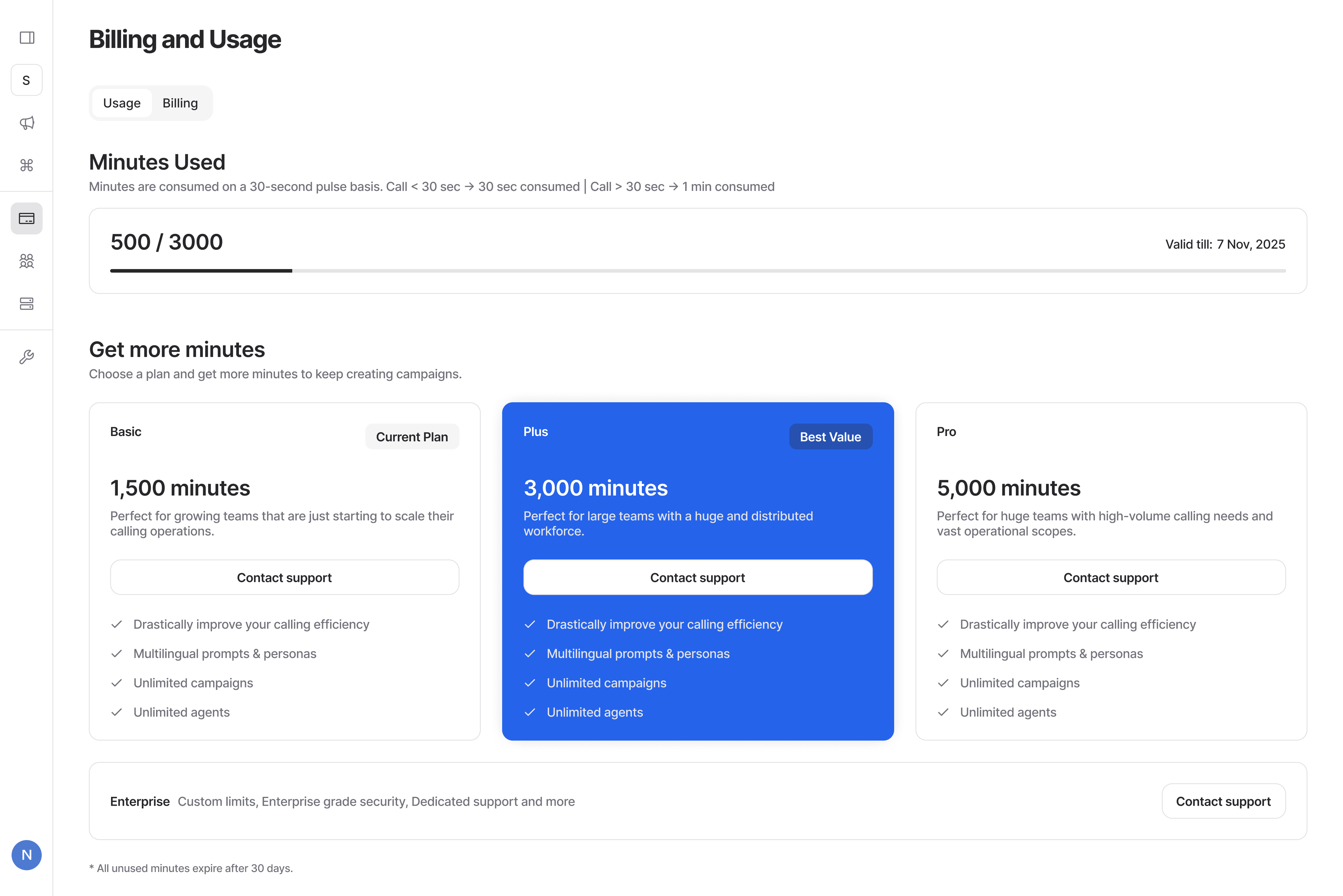
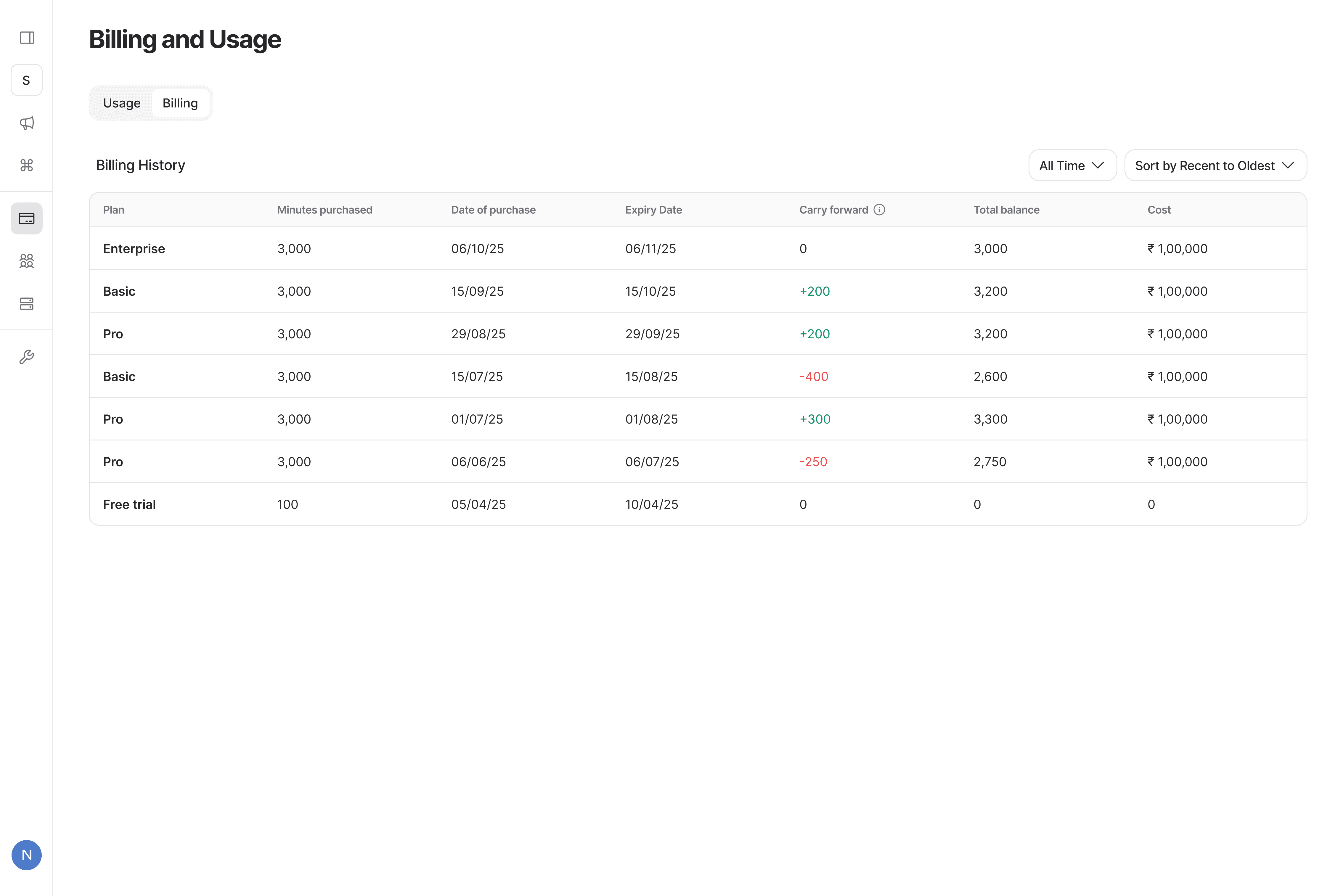
A usage tab was also added to keep track of minute usage, see billing history, and to change plans.
Impact so far
So what have we been able to achieve so far?
It's a yes!
Most customers said yes to a pilot in the first meeting.
1M+ unique candidates engaged
A massive number of unique calls made across all pilots!
28 pilots
Signed in less than 3 months!
11 moved into commercials
& 9 signed full contracts!
But wait!
Why is there no mention of automation?
A lot more was left in the ideas, and a major part was building automation workflows like fetching calling lists automatically, moving "qualified" leads to another campaign, pushing data to CRMs etc.
We decided intentionally to not build that because it served as a massive opportunity to upsell our other product, Hunar Connect! Connect already has all the flows built and has massive capabilities, and is a massive opportunity box for us to sell!
That's it folks!
Version 1 is now live, and fetching a lot of traction from customers.
The team has already started on version 2, building even more powerful features!